
Discover the best AI tools for video making in 2026. Create professional videos easily with top AI video generators, editors, animation, and content creation tools for YouTube, marketing, and social media.
10 SMM Tools Every Digital Marketer Needs in Their Toolkit This Year
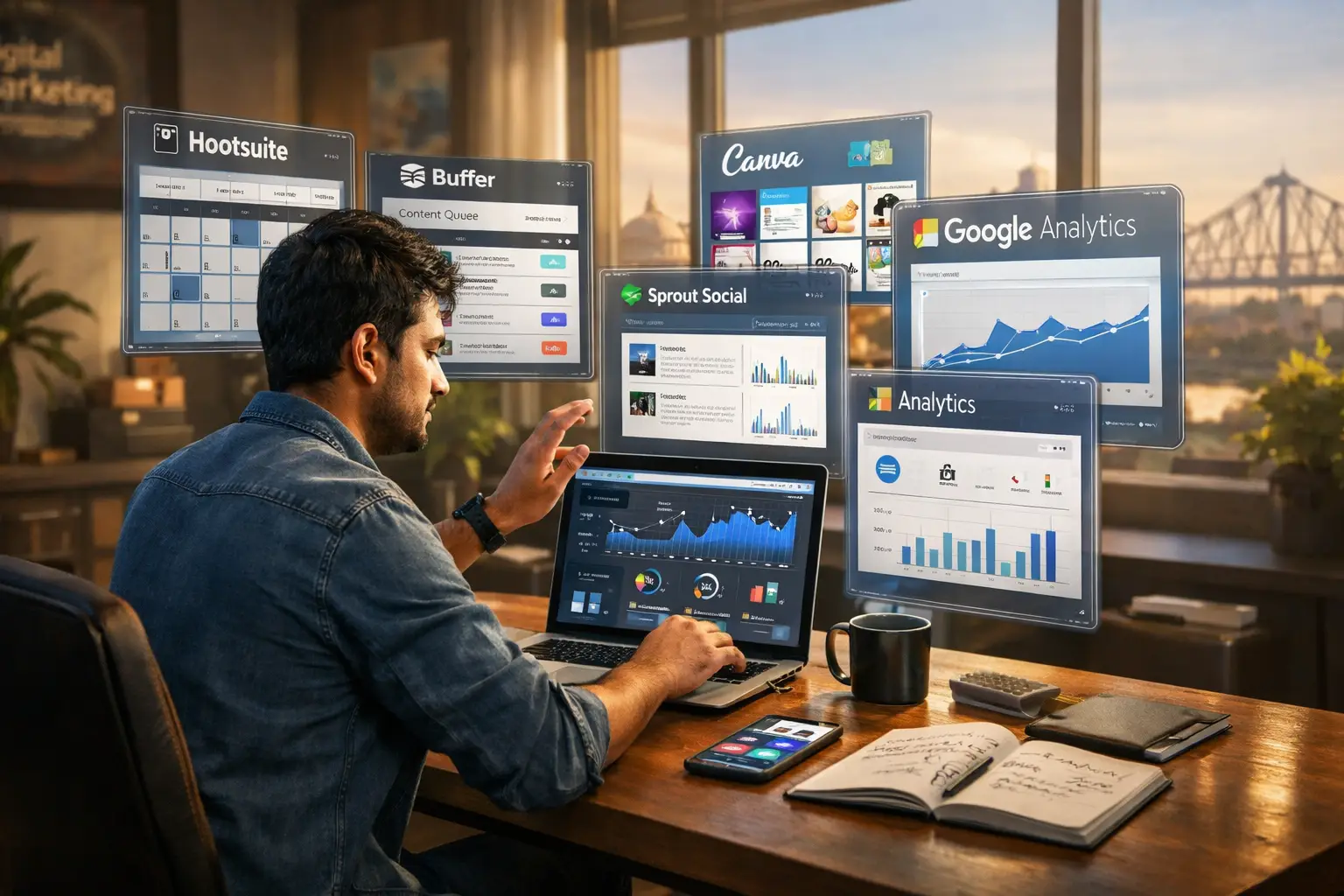
Social media marketing has changed dramatically over the past few years. It’s no longer enough to post content and hope it performs well. Today’s digital marketers need data, consistency, creativity, and speed. Managing all of that manually is almost impossible.
That’s where Social Media Marketing (SMM) tools come in.
The right SMM tools help you plan content, schedule posts, analyze performance, engage with audiences, and stay ahead of competitors. Whether you’re a freelancer, agency owner, or in-house marketer, these tools can make a real difference.
In this blog, we’ll cover 10 essential SMM tools every digital marketer should have in their toolkit this year, along with practical reasons to use them.
Why Digital Marketers Rely on SMM Tools
Social media platforms reward consistency and relevance. Without tools, staying consistent across multiple platforms becomes stressful and time-consuming.
SMM tools help marketers:
- Save time on daily posting
- Maintain a steady content schedule
- Track engagement and growth
- Understand what content works best
- Manage multiple accounts efficiently
Simply put, tools turn effort into strategy.
1. Hootsuite – Powerful Social Media Management Platform
Ideal for managing multiple social accounts
Hootsuite remains one of the most reliable SMM tools for digital marketers. It allows you to manage different social platforms from one dashboard, making it easier to stay organized.
Key features:
- Schedule posts in advance
- Monitor brand mentions and keywords
- Track post performance
- Collaborate with team members
Hootsuite is especially useful for agencies and businesses handling multiple clients or brands.
2. Buffer – Easy and Beginner-Friendly Scheduling Tool
Best for simple and efficient posting
Buffer focuses on simplicity. If you want a clean tool that helps you schedule posts without overwhelming features, Buffer is a solid choice.
Why marketers choose Buffer:
- Quick and easy scheduling
- Clean user interface
- Platform-specific post previews
- Basic but useful analytics
Buffer is ideal for solo marketers, startups, and small businesses.
3. Sprout Social – Advanced Analytics and Audience Insights
Perfect for data-driven marketers
Sprout Social goes beyond posting and scheduling. It provides deep insights into audience behavior, engagement trends, and overall performance.
Top benefits:
- Detailed social media reports
- Audience demographics and behavior
- Smart inbox for messages and comments
- Strong customer engagement tools
If analytics and reporting matter to your strategy, Sprout Social delivers real value.
4. Canva – Design Tool for High-Quality Social Media Content
Essential for visual content creation
Visuals play a huge role in social media success. Canva allows marketers to create professional-looking graphics without hiring a designer.
What makes Canva a must-have:
- Ready-made templates for all platforms
- Easy drag-and-drop design
- Brand kits for consistent visuals
- Quick resizing for different channels
From Instagram posts to LinkedIn banners, Canva helps your content stand out.
5. SocialBee – Smart Content Organization and Recycling
Best for evergreen content strategies
SocialBee helps marketers organize content into categories and reuse evergreen posts automatically. This ensures a balanced posting schedule without constant content creation.
Key features:
- Content categorization
- Evergreen post recycling
- Custom posting schedules
- Hashtag collections
This tool is great for maintaining consistency with lesseffort.
6. Later – Visual Planning for Social Media Feeds
Best for Instagram, Pinterest, and TikTok
Later is a visual-first SMM tool designed for platforms where appearance matters. Its drag-and-drop calendar lets you plan how your feed will look before publishing.
Why Later is popular:
- Visual content calendar
- Link-in-bio feature
- Hashtag suggestions
- Performance analytics
It’s especially useful for brands focused on visual storytelling.
7. Brand24 – Social Media Monitoring and Listening Tool
Best for brand reputation management
Brand24 helps you track what people are saying about your brand across social media, blogs, and forums.
Main advantages:
- Real-time brand mention alerts
- Sentiment analysis
- Influencer identification
- Competitor monitoring
This tool is valuable for protecting brand reputation and responding quickly to feedback.
8. BuzzSumo – Content Research and Trend Discovery
Ideal for finding high-performing content ideas
BuzzSumo helps digital marketers discover trending topics and analyze what content performs best in their niche.
Key uses:
- Identify popular content topics
- Analyze competitor performance
- Discover influencers
- Track content shares
If your social strategy depends on strong content ideas, BuzzSumo is a powerful research tool.
9. Agorapulse – Social Inbox and Engagement Management
Best for handling comments and messages efficiently
Agorapulse combines scheduling, monitoring, and engagement tools in one platform. Its social inbox ensures you never miss an important message or comment.
Standout features:
- Unified inbox for all platforms
- Automated moderation rules
- Post scheduling and reporting
- Team collaboration tools
This tool is ideal for brands with high engagement volumes.
10. Google Analytics – Measure Social Media ROI
Essential for tracking real business results
Google Analytics may not be a traditional SMM tool, but it plays a critical role in measuring the impact of social media efforts.
What you can track:
- Social media traffic sources
- User behavior on your website
- Conversions from social platforms
- Campaign performance
It helps connect social media activity to actual business outcomes.
Why are SMM tools important for digital marketers?
SMM tools save time, automate posting, track engagement, and provide insights into audience behavior. They help digital marketers create data-driven strategies and improve overall performance.
Which SMM tool is best for beginners?
Buffer and Canva are great for beginners because they are easy to use, affordable, and offer simple features for scheduling posts and designing content.
Can I manage multiple social media accounts with SMM tools?
Yes, tools like Hootsuite, Sprout Social, and Agorapulse allow you to manage multiple social media accounts from a single dashboard efficiently.
Are there free social media marketing tools available?
Yes, many tools like Buffer, Canva, and Google Analytics offer free plans with basic features, making them suitable for startups and small businesses.
The Ultimate Guide to Building Email Marketing Campaigns That People Actually Open (2026 Edition)
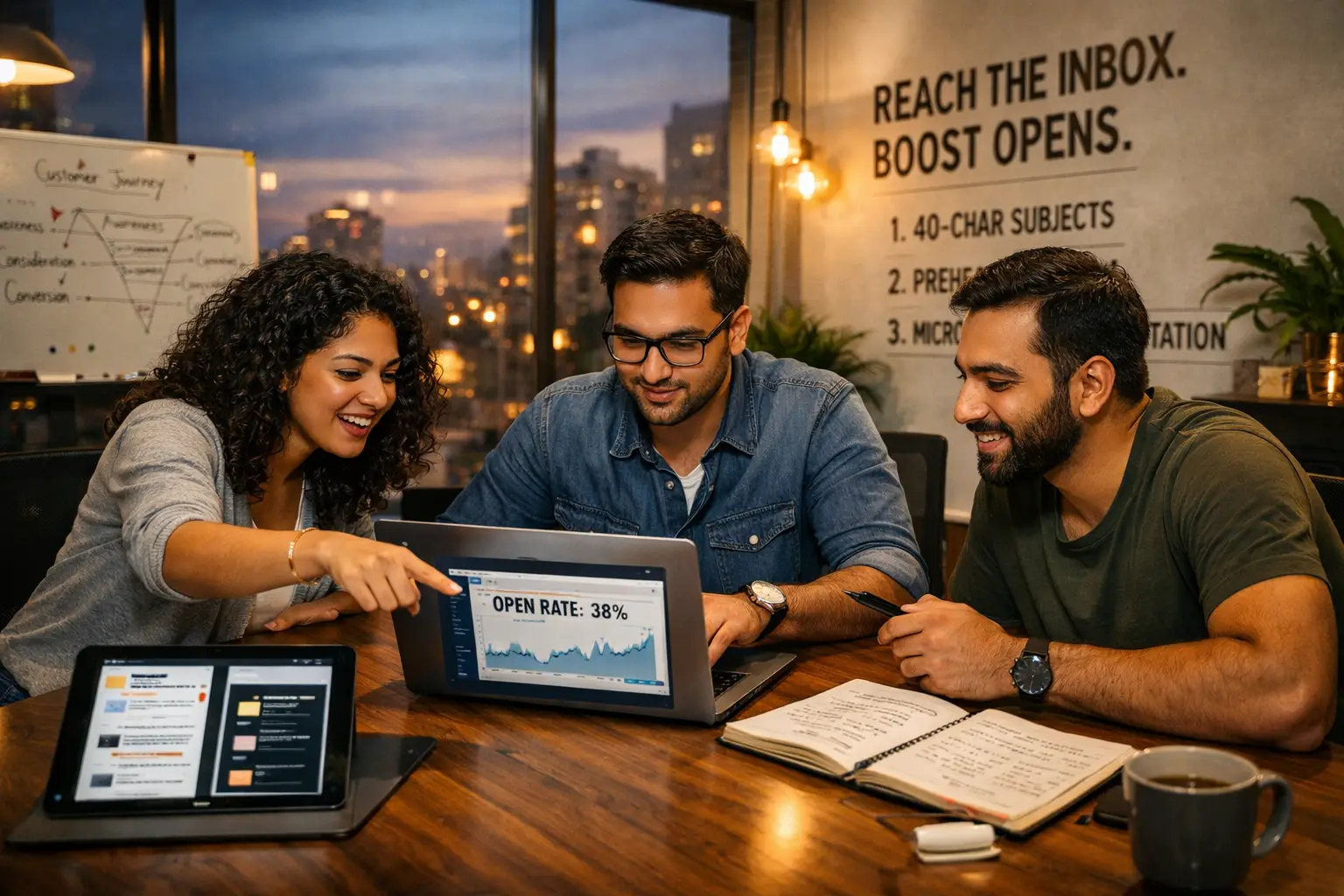
In 2026, the average person receives over 120 emails per day. In an era where AI-driven “noise” is at an all-time high and inbox filters are smarter than ever, getting a subscriber to simply click “open” is no longer a matter of luck—it’s a precise science.
While industry benchmarks suggest a “good” open rate hovers between 15% and 25%, top-tier marketers are smashing these numbers by shifting from generic “blasts” to hyper-personalized, behavior-driven experiences. If your emails are currently sitting in the “ignored” pile, it’s time to bridge the gap between being another notification and becoming a must-read.
1. The Gateway: Mastering the Psychology of the Subject Line
Your subject line is the “headline” of your email. If it fails, the rest of your hard work remains invisible. In 2026, the trend has shifted away from “clickbait” toward clarity, curiosity, and ultra-personalization.
The 40-Character Rule
With over 80% of users predominantly opening emails on mobile devices, your subject line must be “thumb-friendly.” Subject lines longer than 40–50 characters get cut off, losing their impact.
- Bad: “Check out our brand new collection of summer essentials that are on sale right now!”
- Good: “Your summer essentials are here (20% off) ☀️”
Leveraging AI for “Predictive” Subject Lines
Modern tools now use predictive AI to analyze which words resonate with specific segments of your audience. Instead of guessing, use A/B testing to let your audience decide. Data shows that AI-optimized subject lines produce 50% higher open rates than manually written ones.
The Power of “Micro-Urgency”
Avoid “spammy” urgency like “ACT NOW OR LOSE EVERYTHING.” Instead, use subtle, helpful urgency: “Your 24-hour early access expires at midnight.” This feels like a service rather than a sales tactic.
2. Beyond the Subject Line: The Secret Role of Preheader Text
If the subject line is the hook, the preheader text (the short summary text that follows the subject line in an inbox) is the “closer.”
Too many brands waste this space with “Can’t see this email? View in browser.” In 2026, the preheader should act as a Secondary Value Proposition.
Subject: “We’ve missed you, [Name]!”
Preheader: “Here is a $10 credit to use on your next order—no strings attached.”
By providing immediate value in the preheader, you give the recipient a logical reason to engage before they even see the body of the email.
3. Segmentation: Moving from Lists to “Micro-Behaviors”
Sending the same email to your entire list is the fastest way to tank your sender reputation. High open rates are a byproduct of relevance.
What is Behavioral Segmentation?
In 2026, we look at “micro-behaviors.” Instead of just knowing someone bought a shirt once, we track:
- Product Zooming: Did they zoom in on a specific color?
- Frequency of Visits: Have they visited a specific category page three times this week?
- Engagement Timing: Do they usually open emails at 8 PM on a Tuesday?
Automated Lifecycle Flows
Triggered emails—like welcome series, abandoned cart reminders, and post-purchase follow-ups—represent only 2% of send volume but often account for over 40% of total email revenue. Because these are sent based on a user’s specific action, their open rates often exceed 45%.
4. Establishing “Sender Authority” and Trust
People don’t open emails from strangers. They open emails from brands they recognize and trust.
The “Friendly From” Name
Experiment with your sender name. Instead of “Company Marketing Team,” try “Sarah from [Company Name].” This adds a human touch that cuts through corporate clutter.
Technical Deliverability (The Boring but Essential Part)
You can’t get an open if you’re in the spam folder. Ensure your technical “house” is in order:
- SPF, DKIM, and DMARC: These authentication protocols prove to Gmail and Outlook that you are who you say you are.
- List Hygiene: Regularly remove “ghost” subscribers who haven’t opened an email in 6 months. A smaller, engaged list is more valuable than a massive, silent one.
5. Design for the “Dark Mode” and Mobile-First Era
In 2026, Dark Mode is the default for over 80% of smartphone users. If your email looks like a broken white box in a dark interface, it creates a jarring user experience.
Key Design Principles for Higher Engagement:
- Single-Column Layout: The most reliable structure for mobile-scrolling.
- “Above the Fold” Focus: Place your most important message and CTA at the very top.
- Lightweight Images: Slow-loading emails lead to immediate exits. Use compressed, high-quality visuals.
- Accessibility: Use alt-text for images so that even if the pictures don’t load, the recipient knows what the email is about.
6. The 2026 Trend: Interactive and “Living” Emails
Static emails are becoming a thing of the past. To keep open rates high over time, you need to offer an experience.
- Embedded Polls: Ask a question directly in the email.
- Live Timers: Show a countdown clock that updates in real-time.
- Scratch-to-Reveal: Interactive elements that “gamify” the inbox increase engagement rates by up to 30%.
Summary Checklist for a 100% Open-Ready Campaign
| Component | Goal | 2026 Best Practice |
| Subject Line | Grab Attention | Under 40 chars; personalized; curiosity-driven. |
| Preheader | Provide Context | Complement the subject line with a clear benefit. |
| Segmentation | Ensure Relevance | Use behavior-based triggers, not just demographics. |
| Timing | Reach at the Peak | Use AI-driven “Send Time Optimization.” |
| Design | Visual Comfort | Mobile-first; Dark Mode compatible; Accessible. |
What is the ideal length for a subject line on mobile devices?
For maximum impact in 2026, keep your subject lines between 30 and 40 characters. Since over 80% of users now open emails on smartphones, anything longer will likely be cut off. Focus on front-loading the most important value or "hook" in the first 5 words.
How often should I clean my email list to maintain high open rates?
You should perform a deep "scrub" of your list at least once every 3 to 6 months. Removing "ghost" subscribers—those who haven't opened an email in over 180 days—improves your sender reputation with providers like Gmail and Apple, ensuring your emails land in the primary inbox rather than the spam folder.
Does "Dark Mode" really affect my email's performance?
Yes, significantly. With the majority of mobile users now using Dark Mode, an email that isn't optimized (e.g., has jagged white backgrounds around transparent logos) looks unprofessional and is hard to read. Using PNGs with transparent backgrounds and testing your colors for contrast in dark interfaces can prevent immediate deletes.
5 Essential Google Ads Tools to Supercharge Your Keyword Research in 2026

In the rapidly shifting landscape of digital marketing, keyword research has evolved from a simple game of “matching words” to a sophisticated science of deciphering intent. As we move through 2026, the integration of Artificial Intelligence (AI) and Generative Engine Optimization (GEO) has made traditional methods nearly obsolete. To stay ahead, you need a toolkit that doesn’t just list terms but predicts behavior.
Whether you are managing a high-end brand like Digitobrands or optimizing a niche blog, these five essential Google Ads tools are your secret weapons for dominating the search results this year.
1. Google Keyword Planner: The AI-Enhanced Foundation
The Google Keyword Planner (GKP) remains the gold standard, but in 2026, it is no longer just a spreadsheet generator. It has been revamped with AI-driven forecasting that goes beyond historical data.
Why It’s a Supercharger:
- Predictive Search Volume: Instead of looking back at last year, GKP now uses machine learning to predict search trends for the next 12 months with high accuracy.
- Refined Category Filters: You can now “Refine Keywords” by specific attributes (like color, brand, or service type) directly within the UI, saving hours of manual sorting.
- Account-Specific Insights: The tool now prioritizes “In Plan” status, allowing you to see which keywords are already active in your campaigns to avoid internal competition.
Pro Tip: Use the “Discover New Keywords” feature by entering a competitor’s URL. In 2026, the tool’s ability to crawl and extract the intent of a page rather than just the text is remarkably sharp.
2. Google Trends: The Velocity Playbook
If Keyword Planner is your compass, Google Trends is your radar. In 2026, the “Velocity Playbook” is the only way to capture demand while it’s still spiking.
Mastering Search Velocity:
- Breakout Topic Alerts: Google Trends now features a “Trending Now” forecasting engine that identifies “Opportunity Voids”—topics where user interest is high but high-quality content is scarce.
- Comparison of Real-Time Data: You can compare “Search Terms” vs. “Topics.” Topics are broader and help you capture users who are brainstorming rather than just typing a specific query.
- Seasonal Mapping: Use the 2026 date range filters to see exactly when “Micro-Moments” occur for your industry, allowing you to time your Google Ads bid increases perfectly.
3. Glimpse (Google Trends Supercharged)
While Google Trends is powerful, Glimpse is the Chrome extension that makes it professional-grade. It adds a layer of “Absolute Search Volume” that Google’s native tool often obscures.
Key Features for 2026:
- Long-Tail Discovery: It automatically pulls the “People Also Search For” data into a map, allowing you to see the semantic relationship between keywords.
- Forecasting Tools: Glimpse provides a 12-month forecast based on current trajectory, which is essential for planning seasonal budget shifts in Google Ads.
- Channel Breakdown: It shows you if a keyword is trending more on TikTok, YouTube, or Google Search, helping you decide where to allocate your “Demand Gen”campaign budget.
4. Google Search Console: The “Gold Mine” of Real Data
Many advertisers overlook Google Search Console (GSC) when doing keyword research for Ads, but in 2026, it is the most reliable source of “Zero-Volume” keyword data.
Why GSC is Essential:
- The Query-to-Ad Gap: By looking at your “Performance” report, you can find queries that drive organic traffic but aren’t currently in your Google Ads account. These are often high-converting, low-competition gems.
- Identifying Intent: GSC shows you exactly what users typed to find you. If you see many “How-to” questions, you should target these with informational keywords in your ad copy to capture top-of-funnel leads.
- Average Position vs. CTR: If you rank #1 organically but have a low Click-Through Rate (CTR), it’s a sign that an aggressive Google Ads campaign on that keyword is necessary to “own the SERP.”
5. Keywordme: The In-UI Efficiency Engine
In 2026, manual spreadsheet work is the enemy of ROI. Keywordme has emerged as a top-tier tool because it operates as a lightweight extension directly inside the Google Ads interface.
Streamlining Your Workflow:
- One-Click Negative Keywords: You can instantly scan your Search Terms report and add irrelevant queries to negative lists with a single click, preventing wasted ad spend.
- Rapid Expansion: It allows you to turn high-performing search queries into Exact or Phrase match keywords without leaving the page.
- AI Scan for Waste: The tool includes an AI-powered function that flags “Low Intent” terms that might look good on paper but rarely result in conversions.
How to Build a Winning Keyword Strategy in 2026
To truly supercharge your research, you cannot rely on a single tool. The most successful strategists use a layered approach:
- Ideation: Use Google Trends and Glimpse to find rising topics and “Opportunity Voids.”
- Validation: Run those topics through Google Keyword Planner to check for commercial viability and bid estimates.
- Optimization: Use Google Search Console to find gaps between your organic performance and paid potential.
- Refinement: Use Keywordme to prune your campaigns in real-time, ensuring you only pay for high-intent traffic.
The Shift from Keywords to “Entities”
Remember, in 2026, Google cares more about Entities and E-E-A-T (Experience, Expertise, Authoritativeness, and Trustworthiness). Don’t just stuff your blog with keywords. Instead, use these tools to identify the questions your audience is asking and provide the most authoritative answer.
Conclusion
The tools listed above are more than just software; they are gateways to understanding your customer’s journey. By mastering the predictive power of Keyword Planner, the velocity of Google Trends, and the efficiency of Keywordme, you can ensure your brand stays visible in an increasingly crowded digital world.
Is the Google Keyword Planner still accurate in 2026 with AI search rising?
Yes, but its role has shifted. In 2026, the Keyword Planner uses AI to move beyond "exact match" volume. It now focuses on Predictive Search Volume, helping advertisers understand not just what people searched for last month, but what they are likely to search for in the coming quarter based on emerging market trends.
How does Google Trends help reduce my Google Ads Cost-Per-Click (CPC)?
Google Trends allows you to identify "Search Velocity." By spotting a trending topic before it becomes highly competitive, you can bid on relevant keywords while the competition (and the CPC) is still low. It also helps you identify "Seasonal Dips" so you can lower your budget when interest naturally fades, preventing wasted spend.
What is the benefit of using a tool like Glimpse over standard Google Trends?
Standard Google Trends shows relative interest on a scale of 0–100, which can be vague. Glimpse supercharges this by adding absolute search volume estimates and mapping out long-tail keyword "niches." This allows you to see the specific volume of a trend, making it much easier to forecast potential ROI for your ad campaigns.
Should I focus more on high-volume keywords or search intent in 2026? I
n 2026, Search Intent is the priority. High-volume keywords are often too broad and expensive. Using tools like Keywordme or the "Refine Keywords" feature in GKP helps you find "Long-Tail" keywords—terms that may have lower volume but indicate a much higher readiness to buy, leading to a significantly higher conversion rate.
How to Run Facebook Ads in 2026: A Step-by-Step Blueprint for Beginners
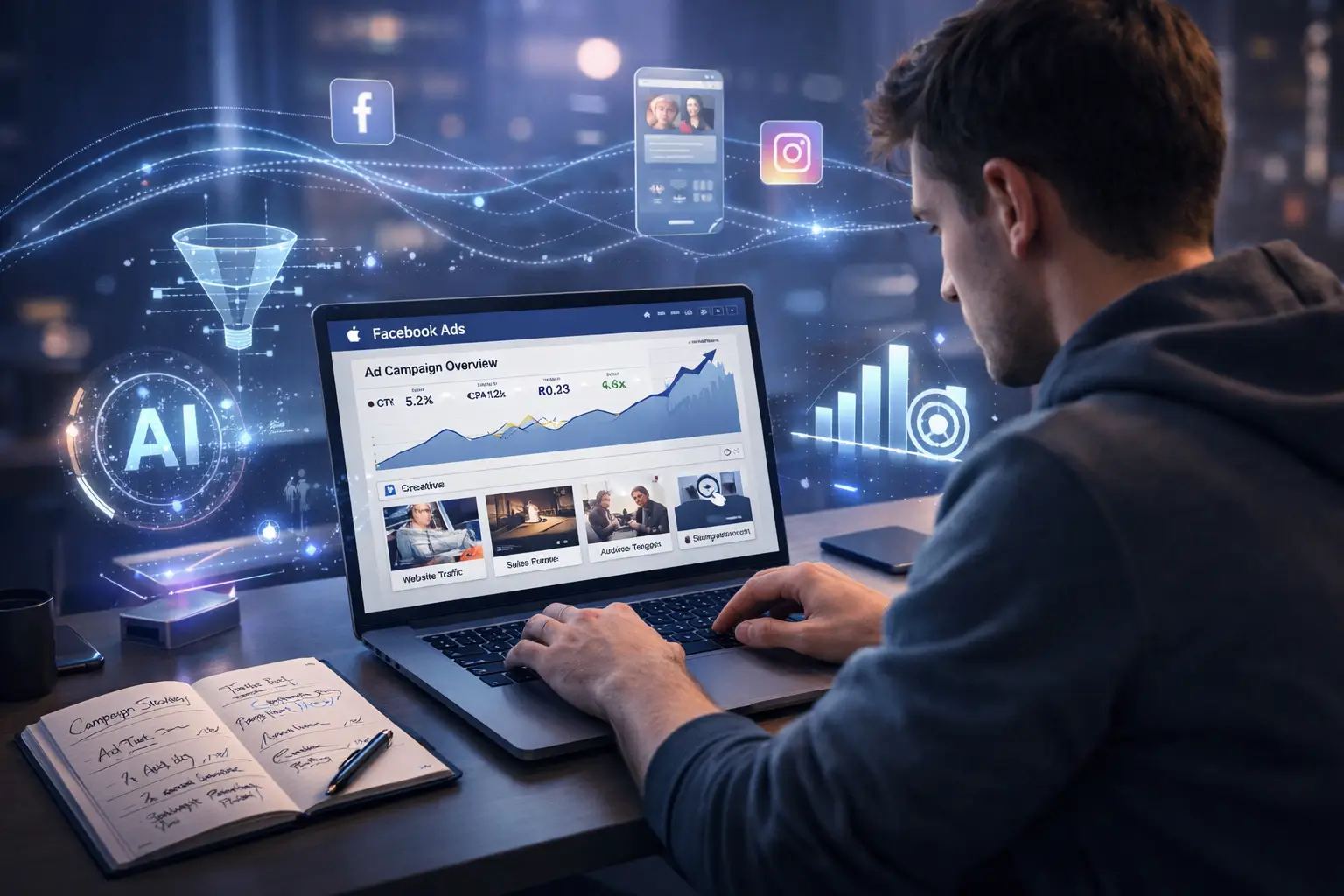
Running Facebook ads in 2026 is not the same as it was a few years ago. The platform has evolved, competition has increased, and user behavior has shifted. But one thing hasn’t changed—Facebook ads still work if you know what you’re doing.
This guide walks you through the exact steps to launch your first campaign the right way, even if you’re starting from zero.
Why Facebook Ads Still Matter in 2026
You might be wondering if Facebook ads are still worth it. Short answer: yes.
Facebook (now part of Meta’s ecosystem) still has billions of active users. More importantly, its targeting system is still one of the most powerful tools for reaching the right audience.
Here’s why beginners should still start here:
- Massive audience reach
- Advanced targeting options
- Flexible budgets
- Strong data and analytics
If you approach it strategically, even a small budget can bring results.
Step 1: Set a Clear Goal Before You Spend Anything
Before opening Ads Manager, decide what you actually want.
Ask yourself:
- Do I want more website traffic?
- Am I trying to generate leads?
- Do I want direct sales?
Your answer determines everything that follows.
Common campaign goals:
- Awareness (brand visibility)
- Consideration (traffic, engagement)
- Conversion (sales, leads)
If you’re a beginner, start with either:
- Traffic (to test interest)
- Leads (if you have an offer)
- Sales (if you already have a product ready)
Step 2: Understand Your Target Audience
One of the biggest mistakes beginners make is targeting everyone.
That never works.
Instead, get specific.
Define:
- Age range
- Gender (if relevant)
- Location
- Interests
- Behaviors
For example, instead of targeting “fitness,” try:
- “People interested in home workouts AND healthy recipes”
Pro tip:
Start broad, then refine based on data. Facebook’s AI is smarter now, but it still needs direction.
Step 3: Set Up Your Facebook Ads Manager Properly
Before running ads, make sure your backend is ready.
You’ll need:
- A Facebook Business account
- Ads Manager access
- A payment method
- Meta Pixel (for tracking)
Why the Pixel matters:
It tracks what users do after clicking your ad. Without it, you’re guessing instead of measuring.
Install it on your website before running conversion campaigns.
Step 4: Create a High-Converting Offer
Ads don’t sell bad offers.
If your ad isn’t converting, the problem is often the offer, not the ad itself.
Good beginner-friendly offers:
- Free ebook or guide
- Discount (10–20%)
- Free consultation
- Trial or demo
Ask yourself:
“Why should someone stop scrolling for this?”
If you can’t answer that clearly, rethink your offer.
Step 5: Write Simple, Scroll-Stopping Ad Copy
You don’t need fancy words. You need clarity.
Structure your ad like this:
1. Hook (first line matters most)
Example:
“Struggling to get clients online?”
2. Problem
Show you understand their pain.
3. Solution
Explain what you’re offering.
4. Call to Action
Tell them what to do next.
Example:
“Get a free 7-day plan that shows you exactly how to start.”
Step 6: Use Eye-Catching Visuals
People scroll fast. Your creative needs to stop them.
What works in 2026:
- Short vertical videos (Reels-style)
- UGC-style content (real people, not polished ads)
- Before/after visuals
- Simple text overlays
What to avoid:
- Overdesigned graphics
- Too much text
- Generic stock photos
Keep it real. Authentic content performs better than polished ads.
Step 7: Choose the Right Campaign Setup
Inside Ads Manager, you’ll create:
Campaign Level:
Choose your objective (traffic, leads, sales)
Ad Set Level:
- Audience targeting
- Budget
- Placements
Ad Level:
- Creative (image/video)
- Copy
- Call to action
Budget Tips:
Start small.
- $5–$15/day is enough for testing
- Don’t increase budget too fast
Step 8: Let the Algorithm Learn (Don’t Panic Early)
This is where most beginners fail.
They turn off ads too quickly.
Facebook needs time to learn who responds best.
What to do:
- Avoid changing ads daily
- Let campaigns run for a few days
- Look at trends, not single-day results
Key metrics to watch:
- CTR (Click-through rate)
- CPC (Cost per click)
- Conversion rate
Step 9: Test Multiple Variations
Never rely on one ad.
Testing is how you improve.
Test:
- Different headlines
- Different visuals
- Different audiences
Even small changes can double your results.
Example:
Ad A: “Lose weight fast”
Ad B: “Lose 5kg in 30 days without dieting”
One will outperform the other. Let data decide.
Step 10: Optimize Based on Data
After a few days, start making decisions.
Kill ads that:
- Have high cost and low clicks
- Get no engagement
Scale ads that:
- Have low cost per result
- Show consistent performance
Scaling tip:
Increase budget slowly (20–30% at a time)
Common Mistakes Beginners Should Avoid
1. Targeting too narrow
You limit Facebook’s ability to optimize.
2. Changing ads too quickly
You reset the learning phase.
3. Ignoring the landing page
Even great ads fail if the page is bad.
4. No clear call to action
People need direction.
Final Thoughts: Keep It Simple and Consistent
Running Facebook ads in 2026 is not about tricks or hacks. It’s about doing the basics well.
Focus on:
- A clear goal
- The right audience
- A strong offer
- Simple, authentic creatives
And most importantly, give it time.
Are Facebook ads still effective in 2026?
Yes, Facebook ads are still highly effective in 2026. With advanced targeting and AI optimization, businesses can reach the right audience and generate traffic, leads, and sales when campaigns are set up correctly.
What is the best objective for beginners in Facebook ads?
For beginners, the best objectives are Traffic, Leads, or Sales. Traffic helps you understand audience interest, while Leads and Sales are ideal if you already have a clear offer.
How long should I run a Facebook ad before making changes?
You should run your ads for at least 3 to 5 days before making any major changes. This gives Facebook enough time to optimize and gather useful data for better performance.
Why are my Facebook ads not converting?
There could be several reasons, such as a weak offer, poor targeting, low-quality creatives, or a slow or confusing landing page. Improving these areas usually leads to better results.
How to Improve Your Website Design for Higher Traffic and Conversions

1. Prioritize “Mobile-First” Over “Mobile-Responsive”
For years, designers built for desktop and “shrank” the site for mobile. In 2026, the script has flipped. With over 65% of global web traffic originating from mobile devices, Google now uses mobile-first indexing as its primary ranking standard.
Designing for the “Thumb Zone”
Most users navigate their phones with one hand. To improve conversions:
- Place CTAs at the bottom: Move your primary buttons to the lower half of the screen where they are easily reachable by a thumb.
- Simplify Navigation: Replace cluttered menus with a clean “hamburger” menu or a bottom navigation bar.
- Increase Tap Targets: Ensure buttons are at least 48×48 pixels to prevent “fat-finger” errors that frustrate users.
2. Master the Need for Speed (Core Web Vitals)
Speed is a direct ranking factor. Statistics show that a 1-second delay in page load time can lead to a 7% reduction in conversions. If your site takes longer than 3 seconds to load, you’ve likely lost half your audience before they even see your headline.
Technical Tweaks for Instant Loading:
- Switch to Next-Gen Images: Replace JPEGs and PNGs with WebP or AVIF formats, which offer superior compression without losing quality.
- Implement Lazy Loading: This ensures that images and videos only load as the user scrolls down to them, saving initial load time.
- Minify Code: Clean up bloated CSS and JavaScript to reduce the “weight” of your pages.
3. Leverage AI-Driven Personalization
Generic websites are becoming obsolete. Modern users expect an experience tailored to their behavior. By integrating AI into your design, you can dynamically change what a user sees based on their journey.
Pro Tip: Use dynamic headlines. If a user arrives via a search for “best SEO tools,” your homepage should highlight SEO. If they come from a “web design” ad, the content should pivot automatically.
Adaptive Calls-to-Action (CTAs)
Instead of a static “Sign Up” button, use AI to show:
- “Continue Shopping” for returning customers.
- “Download the Guide” for first-time blog readers.
- “Get a Demo” for high-intent visitors who have visited your pricing page twice.
4. Perfect Your Visual Hierarchy
Visual hierarchy is the art of telling a visitor’s eyes where to look first. Without a clear path, users feel overwhelmed and leave.
The “F-Pattern” and “Z-Pattern”
- F-Pattern: Most users scan text-heavy pages in an “F” shape. Place your most important keywords and value propositions along the top and left side.
- Z-Pattern: For landing pages with less text, users follow a “Z” shape. Start with your logo (top left), move to a CTA (top right), down through a hero image, and end at a final “Buy Now” button.
Using Whitespace as a Tool
Whitespace (or negative space) isn’t “empty” space—it’s a design element. It reduces cognitive load, making your content more readable and your CTAs more prominent.
5. Build Trust with “EEAT” and Social Proof
Google’s E-E-A-T (Experience, Expertise, Authoritativeness, and Trustworthiness) guidelines are more critical than ever. Your design must visually communicate that you are a legitimate authority.
Elements That Build Instant Credibility:
- Sticky Trust Badges: Keep security certifications or “As Seen In” logos visible.
- Micro-Interactions for Reviews: Use subtle animations to show real-time “Verified Purchase” notifications or star ratings.
- Detailed Author Bios: For blogs, include photos and credentials of the writers to satisfy Google’s expertise requirements.
6. Optimize for Accessibility (WCAG Compliance)
Accessible design is no longer just a legal “nice-to-have”; it’s an SEO powerhouse. Search engines reward sites that are easy for everyone to use.
Accessibility Quick Wins:
- High Color Contrast: Ensure text stands out sharply against the background for users with visual impairments.
- Descriptive Alt Text: Don’t just name an image “IMG_1234.” Use “Small business owner using SEO software on a laptop.” This helps screen readers and boosts Image SEO.
- Keyboard Navigation: Ensure users can navigate your entire site using only the “Tab” key.
7. Use Purposeful Micro-Interactions
Micro-interactions are small visual responses to user actions—like a button changing color when hovered over or a progress bar moving during a file upload.
In 2026, these are used to guide the user journey. A subtle “bounce” on a “Checkout” button can draw the eye and encourage the final click without being intrusive. They provide immediate feedback, making the site feel alive and responsive.
Summary Checklist for 2026
| Feature | Goal | Impact |
| LCP Speed | Under 2.5 seconds | Lower Bounce Rate |
| Mobile UX | Thumb-friendly navigation | Higher Mobile Conversions |
| Personalization | Dynamic Content | Increased User Retention |
| Accessibility | WCAG 2.1 Compliance | Broader Reach |
Final Thoughts
By prioritizing mobile users, lightning-fast speeds, and personalized experiences, you create a digital environment where visitors feel understood and empowered to take action.
Does a complex, beautiful design always lead to more conversions?
Not necessarily. In fact, over-designed websites with heavy animations often distract users and slow down load times. The most successful designs prioritize clarity over cleverness. A clean, simple layout that guides the user toward a single goal (like "Buy Now") almost always outperforms a cluttered, "artistic" site.
What is the single most important design factor for SEO in 2026?
Page Speed (Core Web Vitals) remains the top priority. Even the most beautiful site will fail to rank if it doesn't load within 2.5 seconds. Search engines prioritize the user experience, and nothing ruins that faster than a slow-loading page.
How often should I update my website's design?
While you don't need a total overhaul every year, you should perform incremental updates every 6 to 12 months. Digital trends and user expectations evolve rapidly; keeping your site updated with fresh CTA placements, modern security badges, and optimized mobile layouts ensures you don't fall behind competitors.
Can I improve my conversion rate without changing my entire layout?
Yes! You can see significant gains by making "Micro-Adjustments." Try changing your CTA button color to a high-contrast shade, adding social proof (like customer testimonials) near your checkout button, or simplifying your contact forms to require fewer fields.
Search Engine Marketing (SEM) in 2026: A Complete Guide for Instant Growth
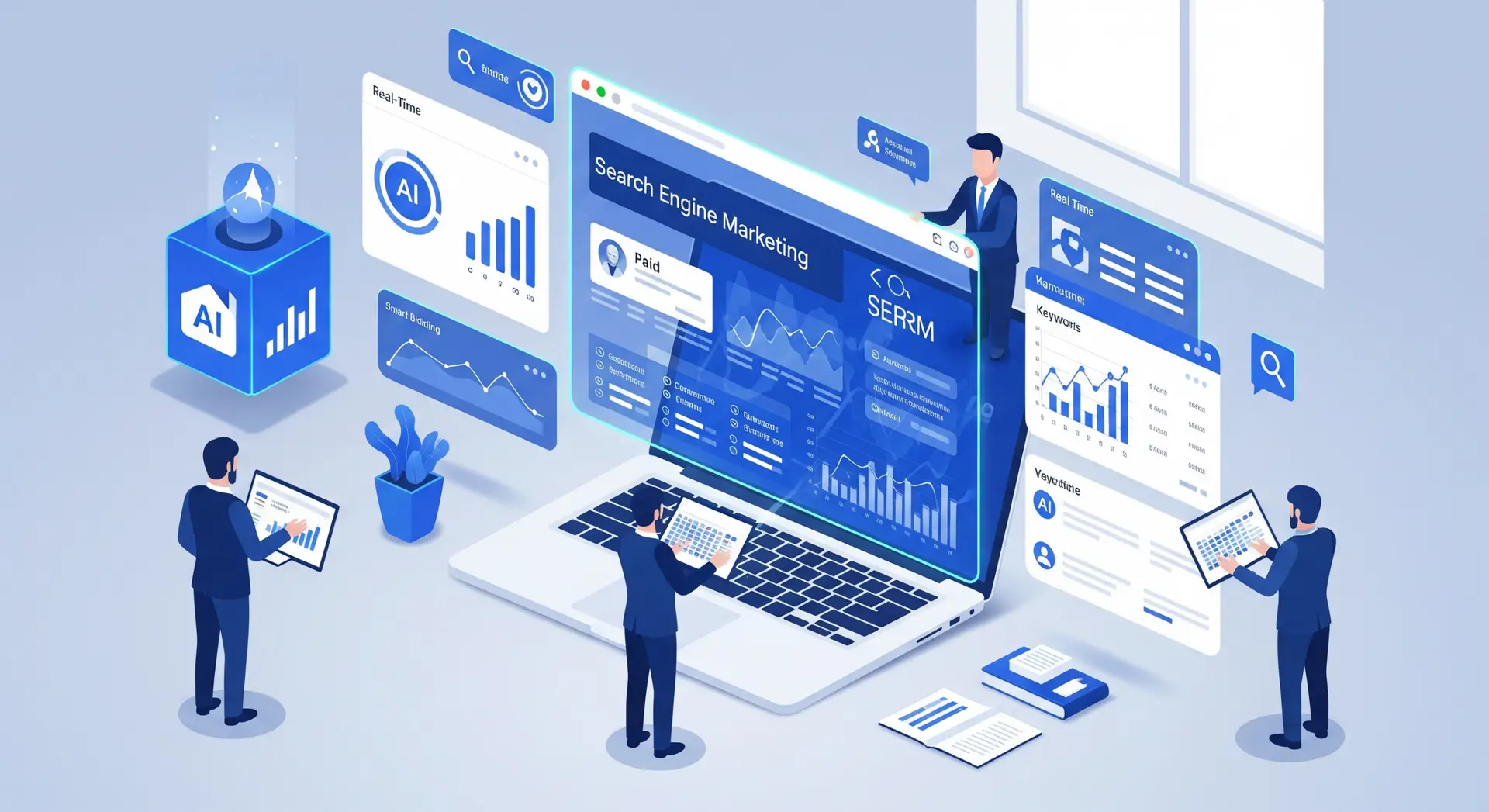
Search Engine Marketing, or SEM, is no longer just about running ads on Google and hoping for clicks. In 2026, SEM has become smarter, faster, and more competitive than ever. Businesses that understand how modern SEM works can generate leads almost instantly, while those using outdated tactics struggle to stay visible.
This complete guide explains what SEM looks like in 2026, how it has changed, and how you can use it for instant, measurable growth.
What Is Search Engine Marketing (SEM)?
Search Engine Marketing is a digital marketing strategy that focuses on gaining visibility in search engine results through paid advertising. The most common form of SEM is pay-per-click (PPC) advertising, where advertisers pay only when someone clicks on their ad.
In simple terms, SEM helps your business appear at the top of search results when people are actively looking for products or services you offer.
Why SEM Still Matters in 2026
Some marketers believe organic traffic alone is enough. In reality, SEM remains essential, especially in competitive markets.
Here’s why SEM is more important than ever in 2026:
- Organic rankings take time, while SEM delivers immediate visibility
- Search results are more crowded with ads, shopping results, and AI summaries
- User intent is clearer at the moment of search
- Advanced targeting allows ads to reach the right people at the right time
If you want fast results, SEM is still the most reliable option.
How SEM Has Evolved in 2026
AI Driven Campaign Management
In 2026, artificial intelligence plays a central role in SEM. Platforms like Google Ads now rely heavily on machine learning to optimize bids, placements, and ad combinations in real time.
Instead of manually adjusting every keyword, marketers focus more on strategy, data quality, and conversion tracking.
Fewer Keywords, More Intent
Exact keyword targeting is less important than it used to be. Search engines now understand user intent better than ever.
Campaigns perform best when built around:
- Search intent
- Topic relevance
- Quality landing pages
- Strong conversion signals
Broad match keywords combined with smart bidding often outperform long keyword lists.
Voice and Visual Search Integration
With the rise of voice assistants and visual search, SEM campaigns in 2026 also target:
- Conversational queries
- Question based searches
- Image driven product searches
Ads are now optimized for how people speak and search, not just how they type.
Key Components of a Successful SEM Strategy
1. Keyword Research That Focuses on Intent
Keyword research in 2026 is less about volume and more about meaning.
Focus on:
- Commercial intent keywords
- Problem solving searches
- Local and service based queries
- High value long tail searches
For example, “best CRM software for small businesses” converts better than “CRM software.”
2. Smart Bidding Strategies
Manual bidding is mostly obsolete. The best performing campaigns use automated bidding strategies such as:
- Maximize conversions
- Target CPA
- Target ROAS
These strategies use historical data and real time signals to adjust bids automatically.
3. High Quality Ad Copy
Even with AI optimization, ad copy still matters.
Effective SEM ads in 2026:
- Match search intent closely
- Use clear benefits, not hype
- Include strong calls to action
- Highlight trust signals like reviews or guarantees
Short, clear messages outperform clever but vague language.
Landing Pages That Convert in 2026
Speed and Mobile Experience
Most paid traffic comes from mobile devices. If your landing page loads slowly or looks cluttered, your ad spend is wasted.
A strong SEM landing page should:
- Load in under three seconds
- Be mobile friendly
- Have one clear goal
- Remove unnecessary distractions
Personalization and Dynamic Content
Modern SEM platforms allow dynamic landing pages that adapt based on:
- Search query
- Location
- Device
- User behavior
This improves relevance and boosts conversion rates significantly.
SEM vs SEO in 2026: Which Is Better?
This is not an either or decision.
SEM Advantages
- Instant visibility
- Predictable traffic
- Easy testing and scaling
- Clear ROI tracking
SEO Advantages
- Long term growth
- Lower cost per click over time
- Strong brand authority
The smartest approach is using SEM for fast results while building SEO for sustainable growth.
Common SEM Mistakes to Avoid in 2026
Ignoring Conversion Tracking
Running ads without proper tracking is one of the biggest mistakes. Without data, AI optimization fails.
Always track:
- Form submissions
- Phone calls
- Purchases
- Key engagement actions
Sending Traffic to Generic Pages
Driving paid traffic to your homepage rarely works. SEM requires focused landing pages that match the ad intent.
Not Testing Enough
Even with automation, testing is critical. Test:
- Headlines
- Calls to action
- Landing page layouts
- Audience segments
Budget Planning for SEM Campaigns
In 2026, SEM costs vary widely by industry. The key is not spending more, but spending smarter.
Tips for better budget control:
- Start with a test budget
- Focus on high intent keywords
- Pause low performing ads quickly
- Scale only what converts
A well optimized small budget can outperform a poorly managed large one.
The Future of SEM Beyond 2026
Looking ahead, SEM will continue to blend with:
- AI search experiences
- Predictive user intent
- Privacy focused tracking models
Marketers who focus on fundamentals like relevance, trust, and user experience will stay ahead, regardless of platform changes.
How is SEM different from SEO in 2026?
SEM provides immediate results through paid ads, while SEO focuses on long-term organic rankings. In 2026, SEM is ideal for instant growth and testing, whereas SEO supports sustainable traffic and brand authority. The best strategy combines both.
Is SEM still effective with AI-powered search results?
Yes, SEM is highly effective in 2026 despite AI-driven search experiences. Paid ads still appear prominently and benefit from advanced targeting, smart bidding, and real-time optimization powered by artificial intelligence.
What are the biggest benefits of SEM for businesses in 2026?
The main benefits of SEM in 2026 include instant visibility, precise audience targeting, measurable ROI, flexible budgeting, and the ability to scale campaigns quickly based on performance data.
How much budget is needed for a successful SEM campaign in 2026?
There is no fixed budget for SEM success. Small businesses can start with a modest budget by targeting high-intent keywords and optimizing conversions. The key is smart spending, continuous testing, and data-driven optimization rather than high ad spend.
How to Master SEO for Beginners: A Step-by-Step Guide to Organic Growth (2026 Edition)
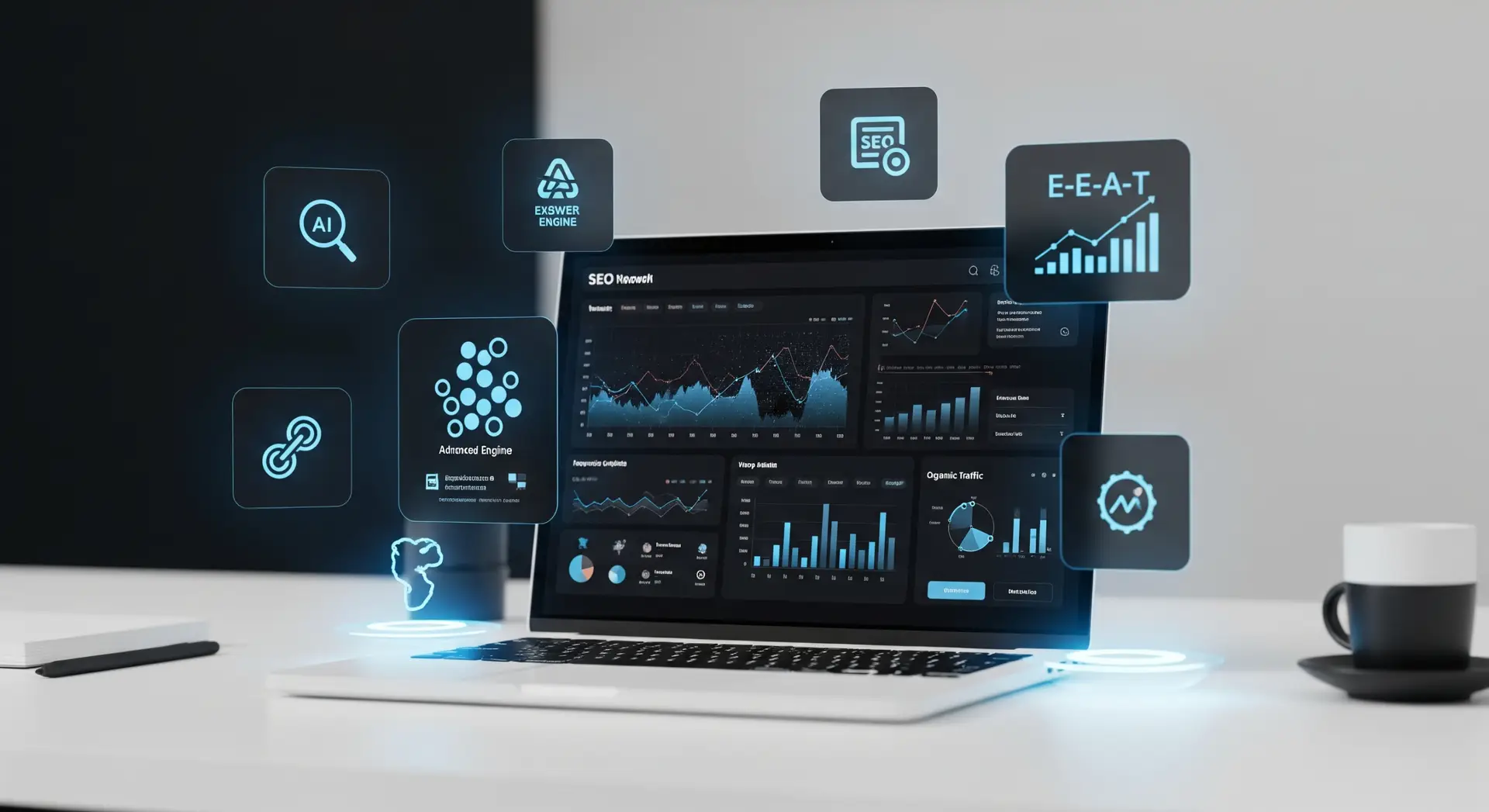
In the rapidly evolving digital landscape of 2026, the question is no longer “Do I need SEO?” but “How do I stand out in an AI-driven search world?” With the rise of AI Overviews and Answer Engine Optimization (AEO), traditional Search Engine Optimization has transformed from a game of keyword stuffing into a sophisticated art of providing genuine value.
If you are a beginner looking to grow your website’s organic traffic, this guide will take you from zero to hero. Let’s dive into the ultimate roadmap for mastering SEO and securing sustainable organic growth.
1. Understanding the SEO Landscape in 2026
Before we get into the “how-to,” we must understand the “what.” In 2026, Google and other search engines prioritize E-E-A-T: Experience, Expertise, Authoritativeness, and Trustworthiness.
Search engines are now “answer engines.” They don’t just look for words; they look for intent. Are you trying to learn (Informational), find a specific site (Navigational), compare products (Commercial), or buy something (Transactional)?
The Three Pillars of SEO
- On-Page SEO: Optimizing individual pages (content and HTML).
- Technical SEO: Improving the backend structure (speed, mobile-friendliness).
- Off-Page SEO: Building authority through backlinks and brand mentions.
2. Step 1: Strategic Keyword Research (Intent Over Volume)
Gone are the days of chasing high-volume keywords. Today, it’s about Search Intent. If you rank for a term but don’t answer the user’s specific question, your “bounce rate” will skyrocket, and your rankings will tank.
How to Find Winning Keywords:
- Use Modern Tools: Leverage tools like Semrush, Ahrefs, or Google’s Keyword Planner.
- Focus on Long-Tail Keywords: Instead of “SEO,” target “SEO strategies for small e-commerce brands 2026.” These are easier to rank for and convert better.
- Analyze “People Also Ask”: Look at the questions Google displays in the search results. These are goldmines for content ideas.
- Keyword Clustering: Don’t just target one word. Group related terms together to build “Topical Authority.”
3. Step 2: Crafting “Human-First” Content
In 2026, AI-generated fluff is everywhere. To rank, your content must have a “Human Signature.” This means sharing personal experiences, original data, and unique perspectives that an AI cannot replicate.
Content Optimization Checklist:
- The 100-Word Hook: Start with a compelling introduction that addresses the user’s problem immediately.
- Use Proper Hierarchy: Use one H1 for the title, H2s for main sections, and H3s for subsections. This helps both users and bots scan your page.
- The “Quick Answer” Section: Place a direct 40–50 word answer to the primary search query near the top of the page. This increases your chances of appearing in “Featured Snippets.”
- Visual Richness: Incorporate original images, infographics, and short video clips. Remember to use Alt Text for every image to help search engines “see” them.
4. Step 3: Mastering Technical SEO (The Foundation)
You can have the best content in the world, but if your site takes 10 seconds to load, no one will ever see it. Technical SEO ensures search engines can crawl and index your site effectively.
Essential Technical Fixes:
- Core Web Vitals: Focus on LCP (Loading speed), CLS (Visual stability), and INP (Responsiveness).
- Mobile-First Design: Google indexes the mobile version of your site first. Ensure your buttons are easy to click and text is readable on small screens.
- HTTPS Security: An SSL certificate is non-negotiable for trust and ranking.
- XML Sitemaps: Submit your sitemap to Google Search Console so the “spiders” know exactly which pages to visit.
| Metric | Target Goal | Why it Matters |
| LCP | Under 2.5s | First impression of speed. |
| CLS | Under 0.1 | Prevents annoying layout shifts. |
| INP | Under 200ms | Makes the site feel “snappy.” |
5. Step 4: Building Authority (Off-Page SEO)
Authority is the “street cred” of the internet. When other reputable websites link to you (a backlink), it tells Google that your content is trustworthy.
How to Earn Backlinks Ethically:
- Digital PR: Share original research or data-driven studies that journalists want to cite.
- Guest Posting: Write high-quality articles for reputable sites in your niche.
- Broken Link Building: Find broken links on other sites and suggest your (working) link as a replacement.
- Social Signals: While not a direct ranking factor, high engagement on LinkedIn or X (Twitter) drives traffic and brand awareness.
Tools Every Beginner Needs:
- Google Search Console: To monitor indexing issues and keyword performance.
- Google Analytics 4 (GA4): To understand user behavior once they land on your site.
- PageSpeed Insights: To keep your technical health in check.
Pro Tip: Set a reminder to audit your top-performing posts every 6 months. Update the stats, refresh the internal links, and ensure the information is still accurate for the current year.
How has keyword research changed in the AI-driven search era?
The focus has shifted from high search volume to Search Intent. Instead of targeting broad terms, you should focus on long-tail keywords and "Keyword Clustering." Understanding whether a user wants to learn, buy, or find a specific site is now more important than the number of times a word appears on a page.
What is "Answer Engine Optimization" (AEO)?
AEO is the practice of optimizing content for "answer engines" and AI Overviews. To rank here, the guide recommends including a "Quick Answer" section—a direct 40–50 word summary of the primary query near the top of your page—to increase your chances of appearing in Featured Snippets.
Why are Core Web Vitals still a major part of Technical SEO?
Technical SEO is the foundation of your site. If a page loads slowly or is difficult to use on mobile, users will leave, signaling to Google that your site is low quality. You should aim for an LCP (Loading speed) of under 2.5s and an INP (Responsiveness) of under 200ms to keep your site feeling "snappy."
How often should I update my old blog posts?
SEO is not a "set it and forget it" strategy. The guide recommends auditing your top-performing posts every 6 months. During these audits, you should refresh internal links, update statistics, and ensure the information remains accurate for the current year to maintain your organic growth.
Best AI Chatbots for Business, Coding, and Creative Writing in 2026

Artificial intelligence chatbots have changed the way we work, create, and build. In 2026, these powerful tools are no longer simple conversation agents. They’re advanced assistants that help businesses grow, developers code faster, and writers generate ideas and improve text quality. If you’re looking for the best AI chatbots for business, coding, and creative writing, this guide breaks them down with real-world benefits, features, and use cases.
Why AI Chatbots Matter in 2026
AI chatbots today go beyond answering questions. They support real tasks like automating customer support, simplifying software development, generating marketing content, and even helping artists craft narratives. With improvements in natural language understanding and specialized models tailored to different industries, the right chatbot can transform how you work.
Here’s what makes an AI chatbot truly effective in 2026:
- Fast and accurate responses
- Industry or task-specific expertise
- Easy integration with tools you already use
- Customizability and scalability
- Reliable security and data privacy
Top AI Chatbots for Business
1. ChatAI Pro for Enterprise
Whether you run a small business or a large organization, ChatAI Pro has become a go-to solution for customer support and operations. It integrates seamlessly with CRM systems like Salesforce, HubSpot, and Zendesk.
Key Features:
- Automated customer service with sentiment detection
- Real-time data insights and analytics
- Custom workflow automation
- Multilingual support
Why It’s Great:
Business teams use ChatAI Pro to reduce support tickets by up to 40%, speed up response times, and deliver consistent answers across all channels.
2. SalesBoost AI
SalesBoost AI is designed to help sales teams generate leads, draft pitches, and personalize outreach.
Key Features:
- Lead scoring and prioritization
- Automated email and messaging templates
- Predictive insights for deal closing
- CRM integration
Why It’s Great:
Instead of manually drafting outreach messages, sales professionals use SalesBoost AI to craft personalized communications that convert better and save hours every week.
3. MarketMinder Bot
For marketing teams, MarketMinder Bot serves as a digital strategist—helping with everything from campaign ideas to SEO optimization.
Key Features:
- SEO content suggestions
- Competitor analysis summaries
- Social media post automation
- Branding language training
Why It’s Great:
MarketMinder Bot helps marketing teams stay on top of trends and optimize campaigns with data-driven suggestions, increasing engagement and ROI.
Best AI Chatbots for Coding
Developers are building faster than ever with help from AI tools designed to understand code, debug, and even generate entire modules.
1. CodeCraft AI
CodeCraft AI is one of the most powerful coding assistants in 2026. It supports multiple languages and integrates with popular IDEs like VS Code and JetBrains.
Key Features:
- Intelligent code completion and suggestions
- Auto-generated documentation
- Real-time syntax error fixes
- Code optimization recommendations
Why It’s Great:
CodeCraft AI doesn’t just suggest code—it helps developers learn better patterns and improve efficiency. Especially helpful when working on large or unfamiliar codebases.
2. BugBeater Chatbot
As the name suggests, BugBeater specializes in finding and fixing bugs.
Key Features:
- Automated testing suggestions
- Explanation of errors in plain language
- Version history and change context
- Integration with GitHub and GitLab
Why It’s Great:
BugBeater shrinks debugging time dramatically and helps teams catch issues before deployment.
3. DevOps Genie
DevOps Genie assists with deployment, CI/CD automation, and infrastructure scripts.
Key Features:
- Script generation for pipelines
- Server configuration templates
- Monitoring and alert recommendations
- Integration with AWS, Azure, GCP
Why It’s Great:
This bot helps bridge gaps between development and operations, making it easier to ship code reliably and sustainably.
Best AI Chatbots for Creative Writing
Writers—whether bloggers, novelists, or content creators—are using AI to overcome writer’s block and polish their work.
1. StoryWeaver Assistant
StoryWeaver Assistant focuses on narrative creation and world-building.
Key Features:
- Plot idea generation
- Character development tools
- Thematic suggestions based on genre
- Scene and dialogue drafting
Why It’s Great:
StoryWeaver helps authors explore possibilities and craft compelling stories without losing their unique voice.
2. WriteRight AI
If you struggle with clarity, tone, or editing, WriteRight AI is a popular choice.
Key Features:
- Style and grammar refinement
- Tone adjustment for audience (formal, casual, persuasive)
- Automated summaries and outlines
- Plagiarism detection
Why It’s Great:
It’s like having a professional editor available 24/7. Bloggers and content teams especially love its SEO-focused writing recommendations.
3. Poetica Bot
For poets and spoken word artists, Poetica Bot is a creative muse.
Key Features:
- Rhyme suggestions and rhythm guidance
- Imagery and metaphor enhancement
- Genre-specific prompts (haiku, sonnet, free verse)
- Emotional intensity controls
Why It’s Great:
Poetica turns abstract feelings into expressive language in ways that help poets explore new angles in their work.
How to Choose the Right AI Chatbot
With so many options available in 2026, here’s how to decide:
Match the Bot to Your Goal
- Business growth? Look for tools with analytics and automation.
- Development speed? Pick coding assistants with deep IDE integration.
- Creative projects? Choose bots that respect your style and boost your imagination.
Consider Integration Needs
Ensure the AI you choose works with your existing tools, apps, and workflows.
Check for Customization
Bots that let you tailor responses, workflows, or training data will feel more like team members than generic tools.
How do AI chatbots help developers with coding?
AI chatbots assist developers by providing real-time code suggestions, debugging support, documentation help, and code optimization tips. In 2026, advanced coding chatbots can understand complex codebases and integrate directly with popular IDEs to improve development speed and accuracy.
Are AI chatbots useful for creative writing?
Yes, AI chatbots are highly useful for creative writing. They help writers generate ideas, develop characters, structure stories, improve tone, and overcome writer’s block. Many writers use AI as a creative assistant rather than a replacement for human creativity.
Can one AI chatbot handle business, coding, and writing tasks?
Some advanced AI chatbots in 2026 are designed to handle multiple tasks, including business automation, coding assistance, and content creation. However, for best results, many users prefer specialized chatbots tailored to their specific needs.
Are AI chatbots safe to use for business data?
Most modern AI chatbots prioritize data security and privacy. Reputable platforms offer encryption, compliance with data protection regulations, and customizable access controls. Businesses should always review privacy policies before using AI chatbots with sensitive information.